✕
Paste a URL from YouTube, TikTok, Douyin, or any site. Choose quality and format. Download — it's that simple.
No accounts, no extensions, no browser plugins needed.
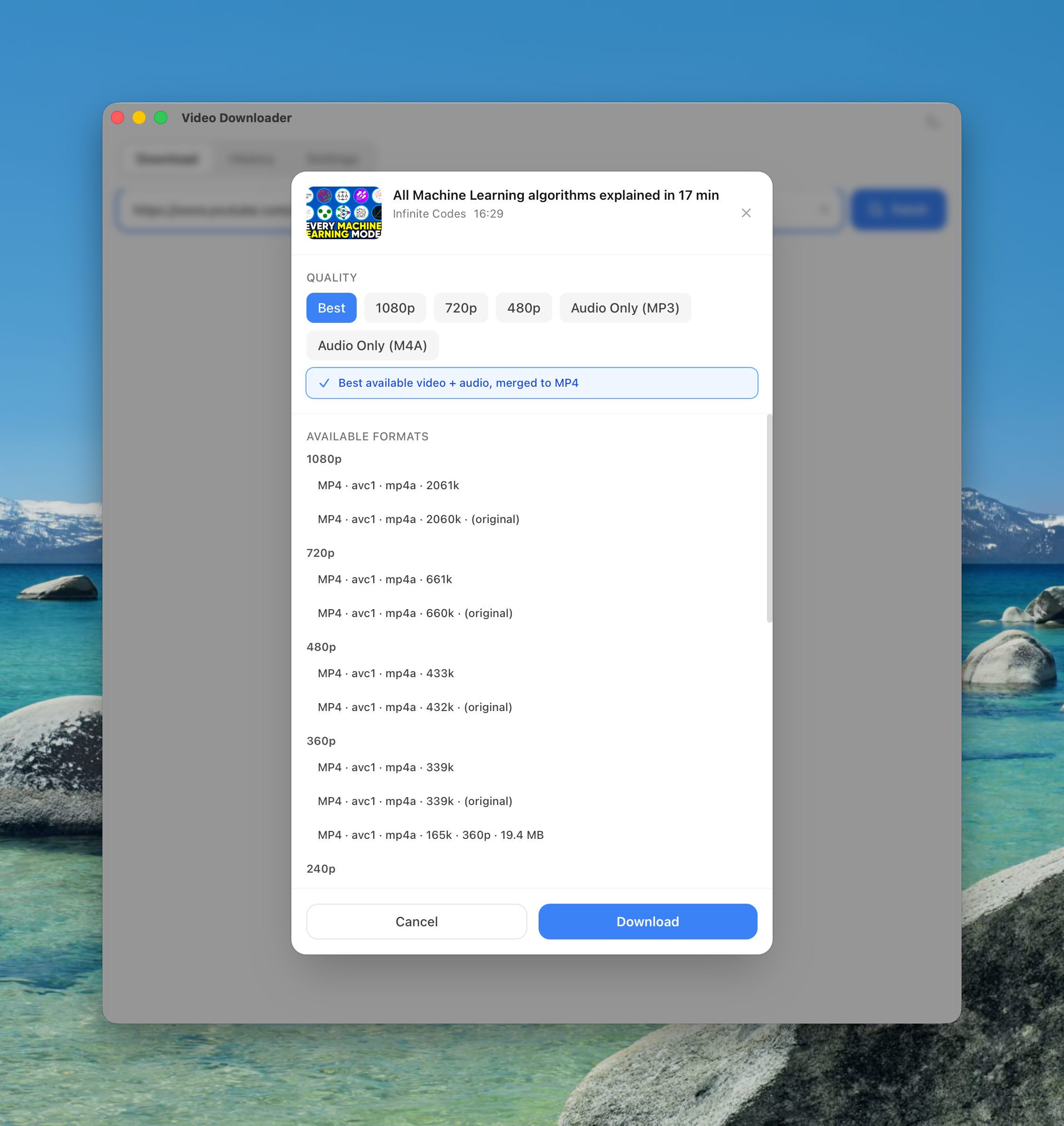
Paste any video URL into the search bar and click Fetch. The app loads video title, duration, and available formats in seconds.
Pick your preferred quality — Best, 1080p, 720p, 480p, or audio-only. Select an output folder, then confirm.
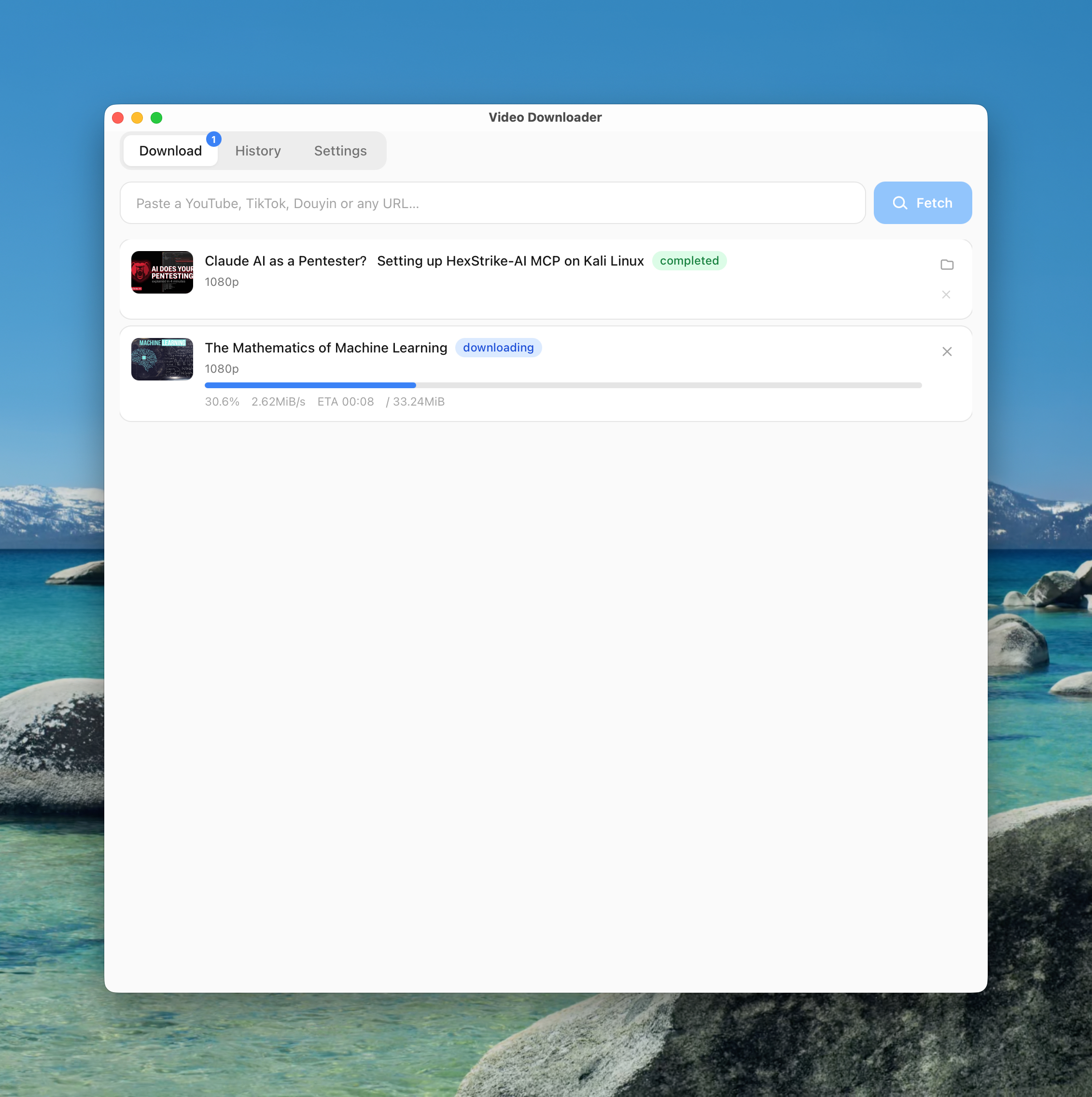
Watch real-time progress. Queue multiple URLs at once. Files are saved to your chosen folder automatically.
From pasting a URL to managing your history.
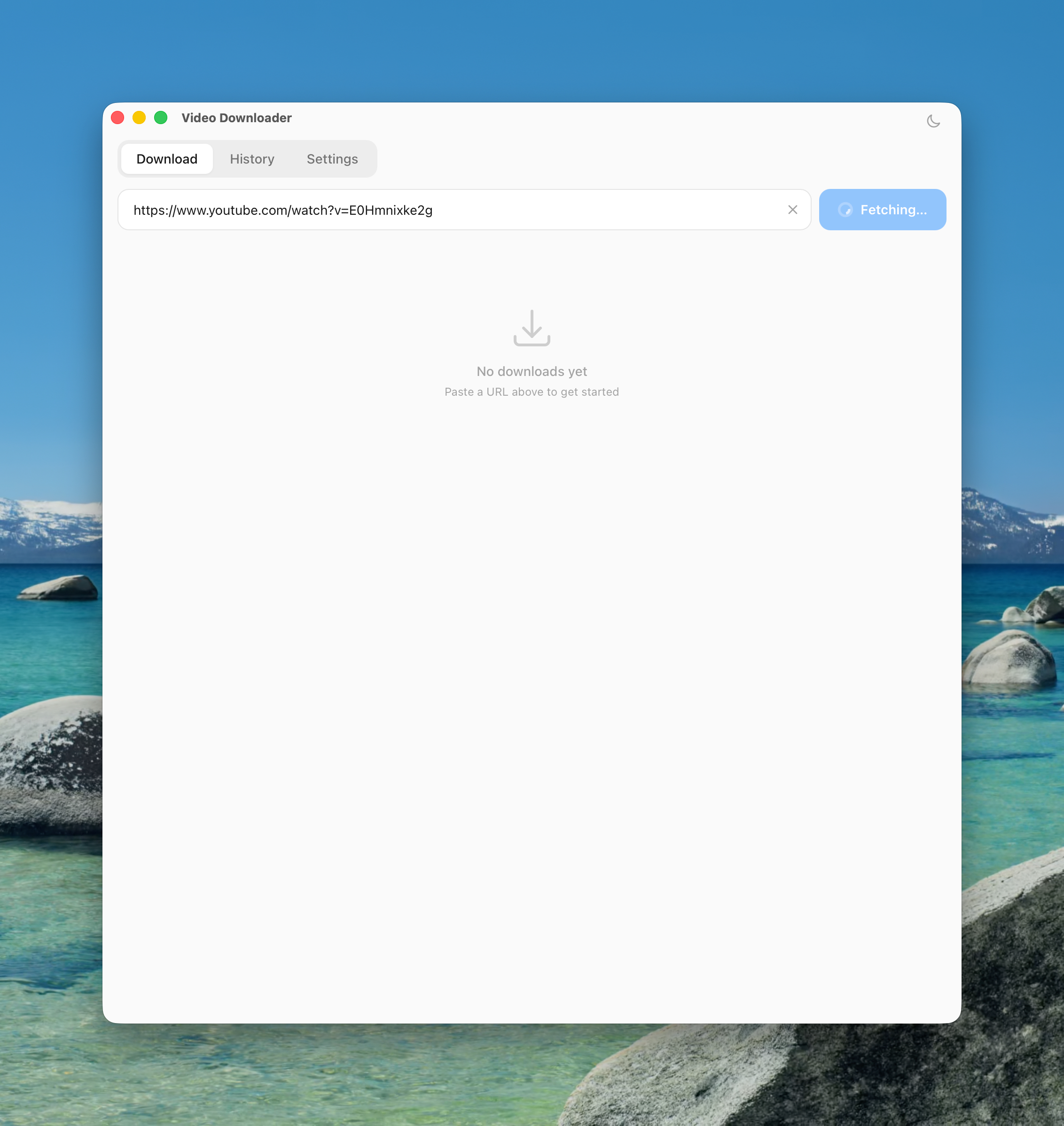
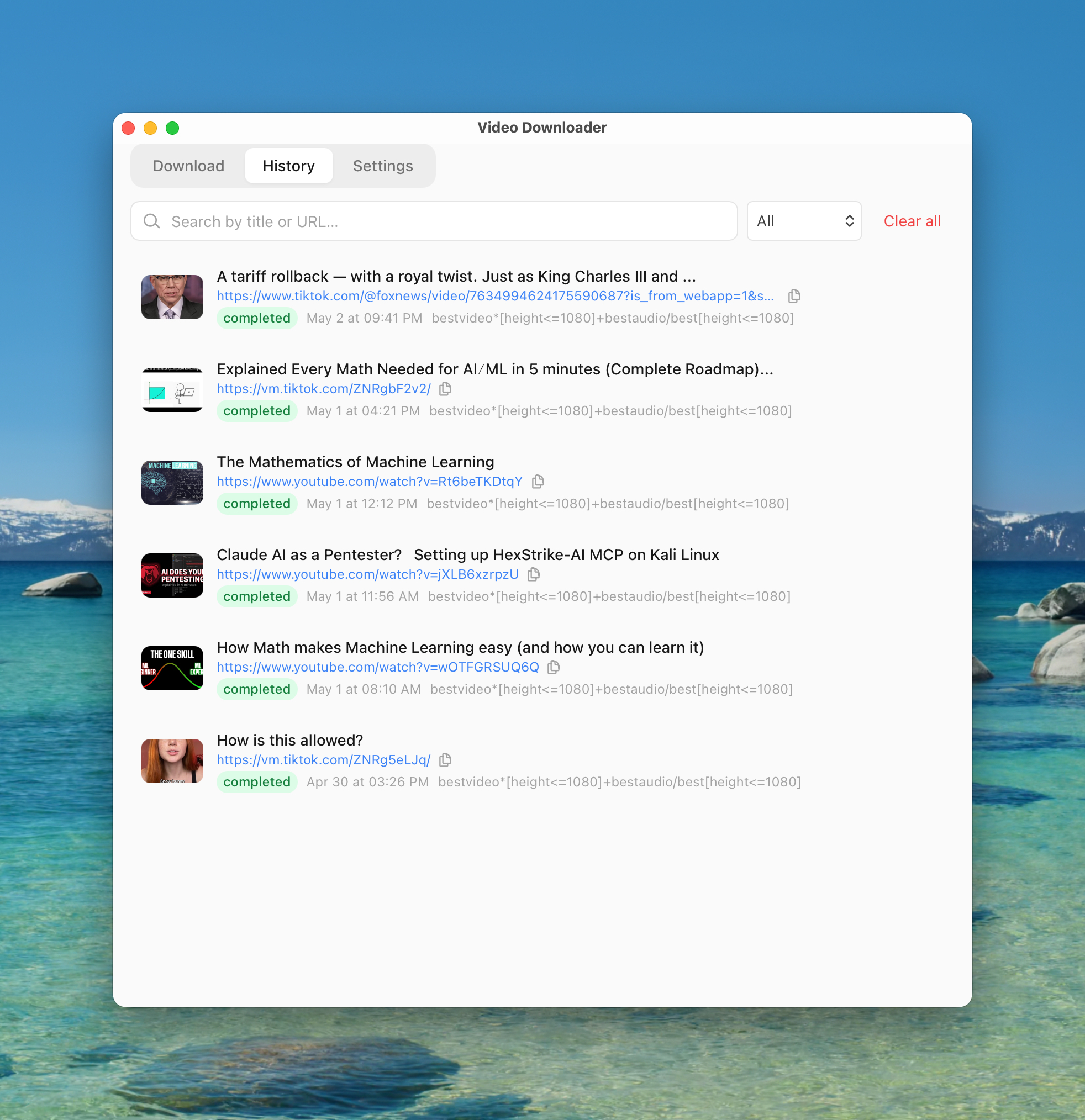
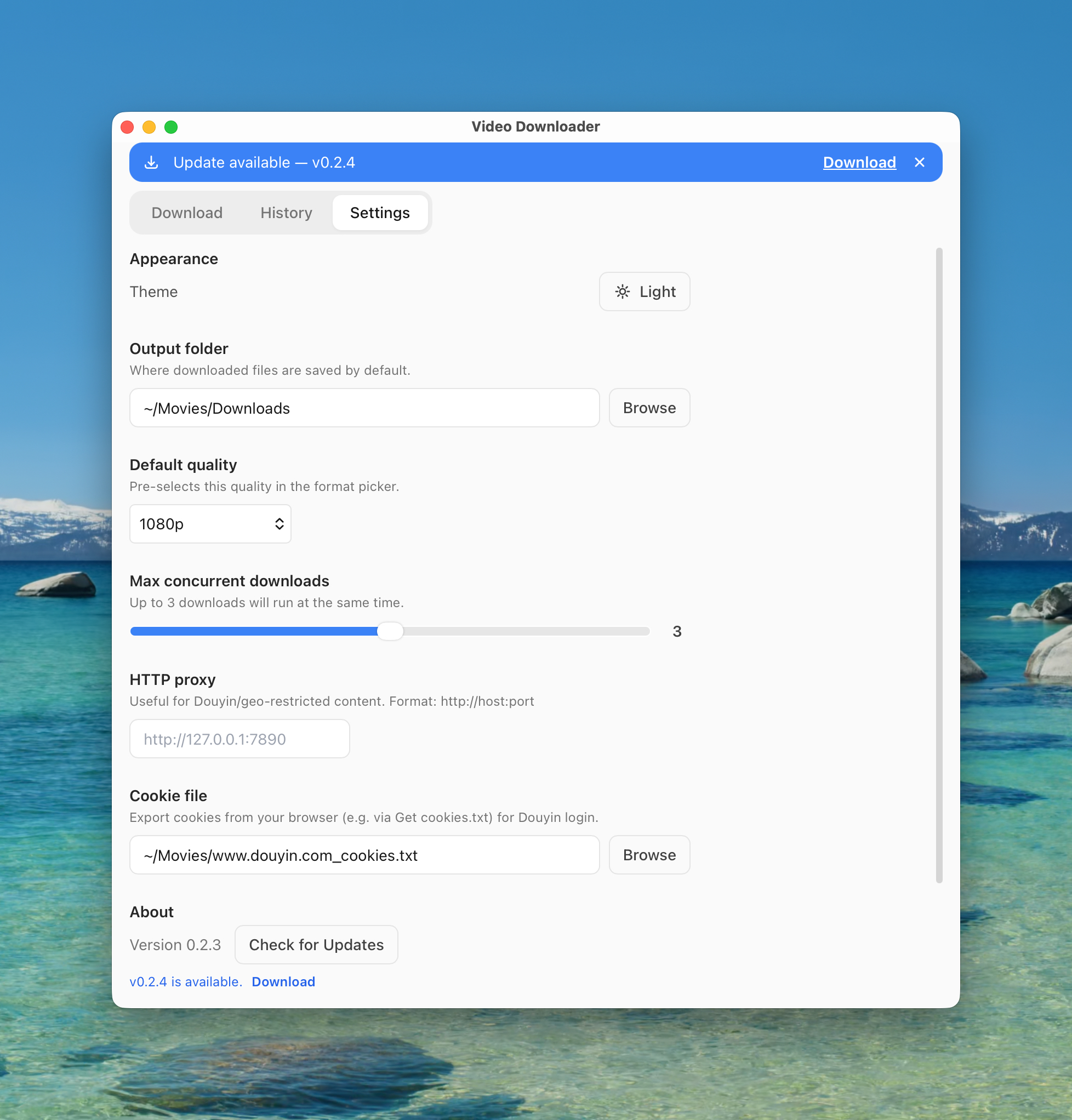
Paste a YouTube, TikTok, Douyin, or any URL. Click Fetch — video info loads in seconds.
A focused tool that does one thing well.
YouTube, TikTok, Douyin, Twitter/X, Instagram, and hundreds more — powered by yt-dlp under the hood. If yt-dlp supports it, this app downloads it.
Choose Best, 1080p, 720p, 480p, or audio-only before every download. Set a default quality in Settings to skip the picker entirely.
Queue multiple URLs at once and configure how many downloads run simultaneously — up to your system's capacity.
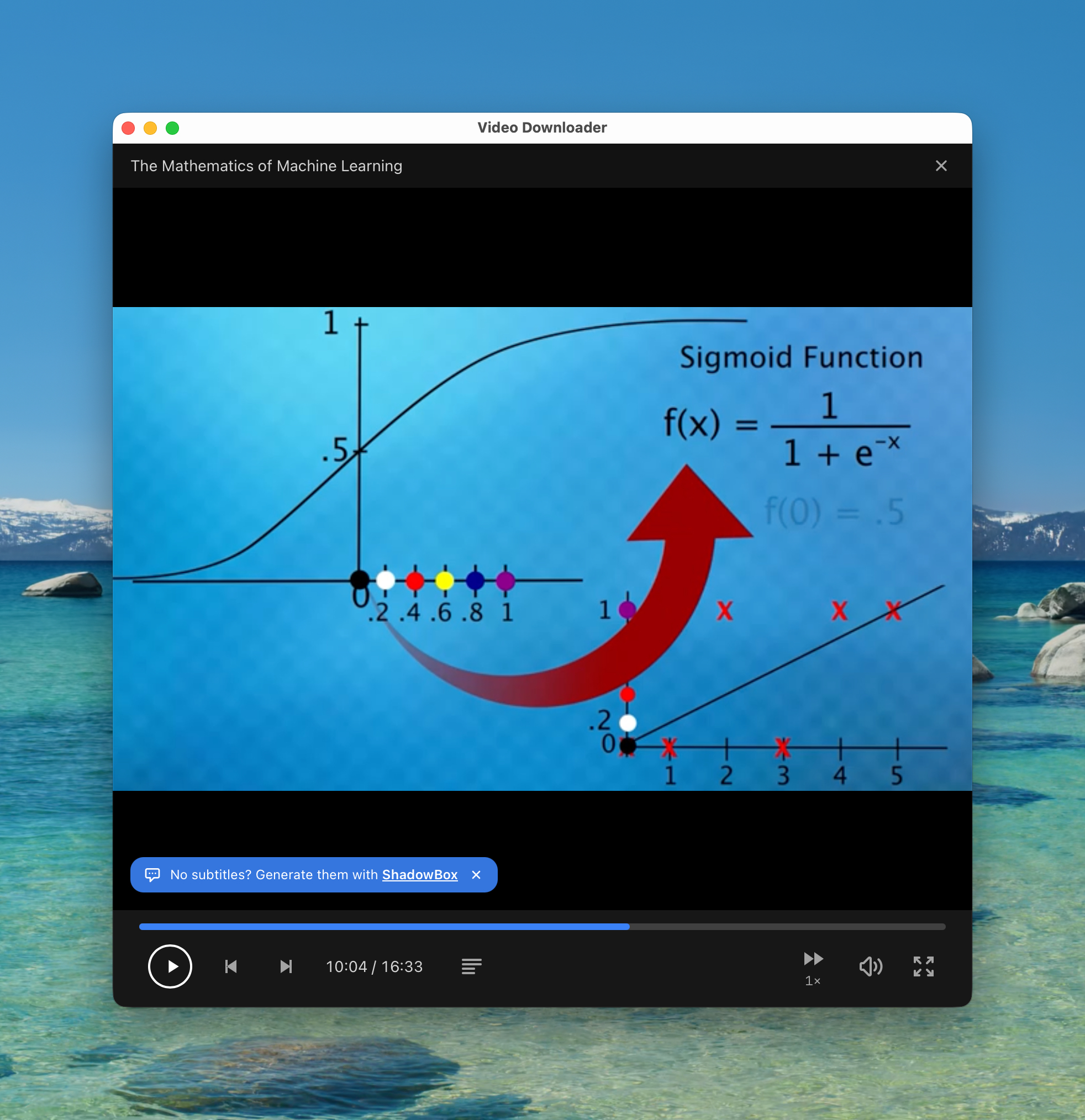
Preview any downloaded video without leaving the app. Playback, seek, and keyboard controls — skip the extra trip to a separate player.
Every download is logged with title, status, file size, and save path. Re-download or clear entries anytime from the History tab.
Specify an HTTP proxy in Settings to access geo-restricted content on Douyin or other region-locked platforms.
Export browser cookies via a browser extension and import them here to download content that requires a logged-in session.
yt-dlp and ffmpeg are detected automatically on first launch.
macOS · Windows · Free
macOS 12.0+ · Apple Silicon & Intel
Windows 10/11 x64